
Shipping with this method takes 3-5 days
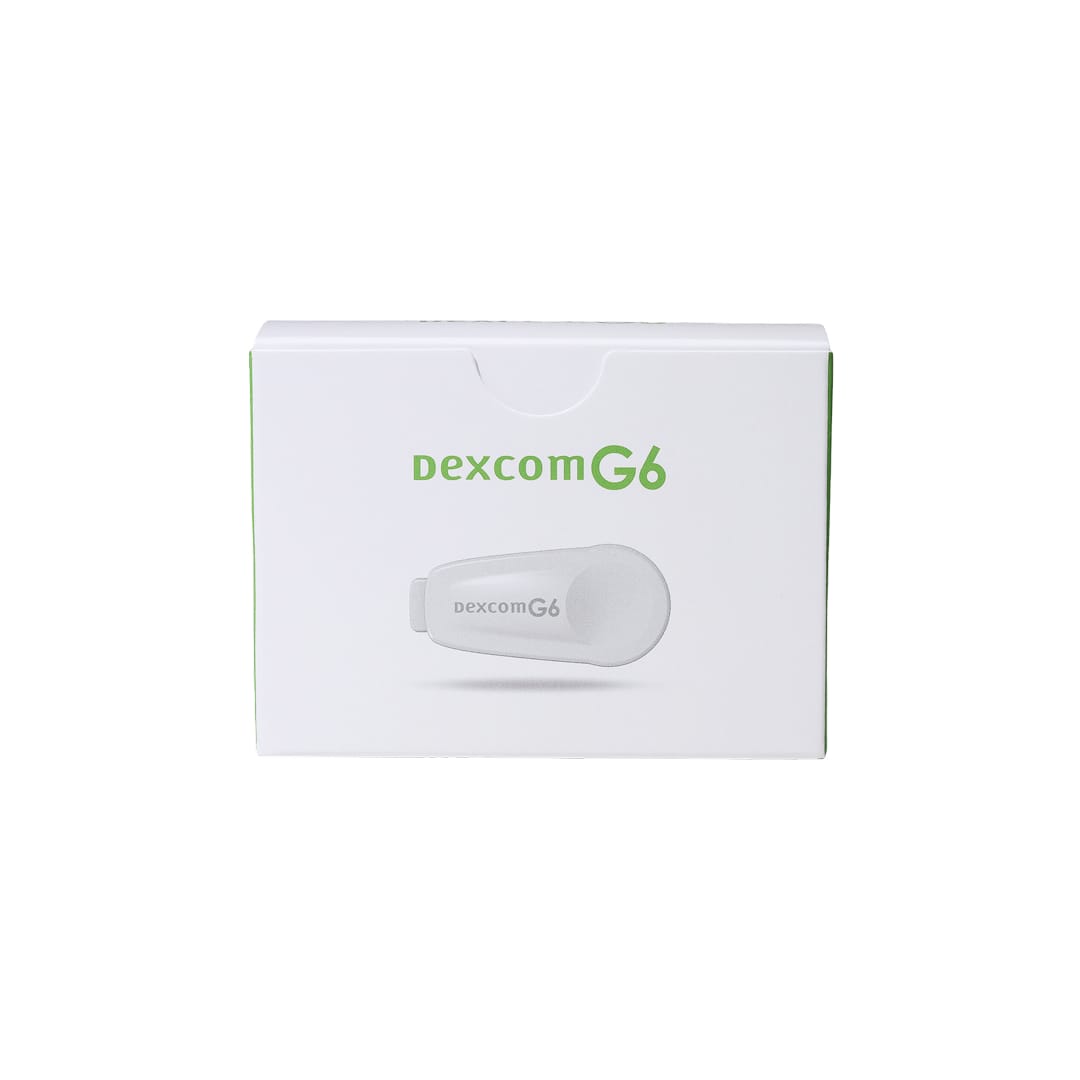
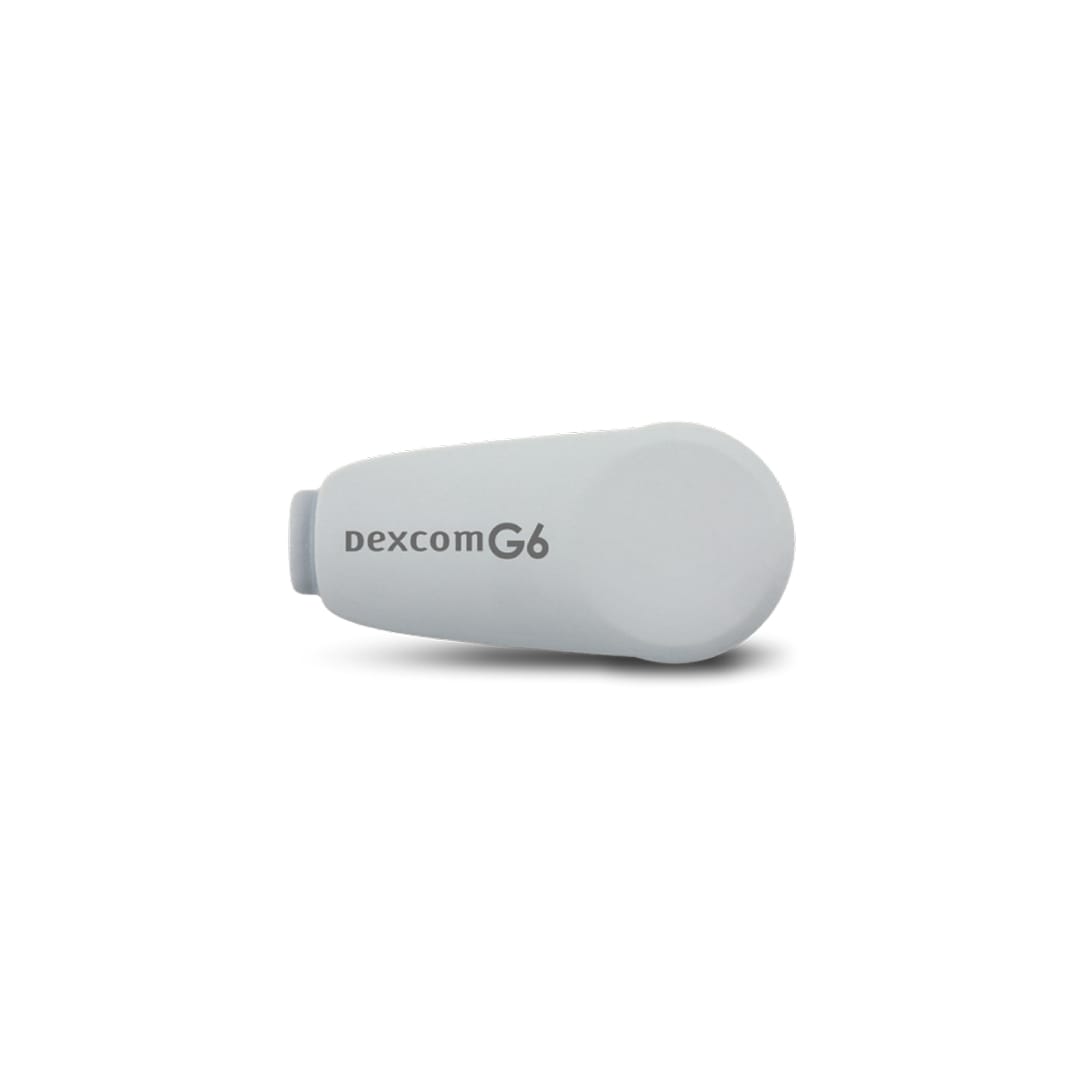
Dexcom G6 Transmitter
Buy Dexcom G6 Transmitter Online
Secure Encrypted Payments
Dexcom G6 Transmitter is the reusable Bluetooth component that snaps into a Dexcom G6 sensor and sends glucose readings to a compatible display device. You can buy Dexcom G6 Transmitter online and match the device to your current G6 continuous glucose monitoring system. Choose the transmitter presentation shown during ordering and make sure it fits the G6 sensors, app, receiver, and setup instructions you already use.
The transmitter is not the same part as a sensor, receiver, phone app, or fingerstick glucose meter. It works as the communication bridge between the disposable sensor on your skin and the device that shows glucose values, trend arrows, graphs, and alerts. If you use US delivery from Canada, keep the transmitter serial number and your current CGM device information available for setup and support.
Dexcom G6 Transmitter Price and Device Selection
Dexcom G6 transmitter price can vary by the exact device presentation, quantity, and cash-pay ordering needs. Current price is most meaningful when you match the item name to the part you need: a G6 transmitter, not a sensor pack, receiver, or separate glucose meter. Device supplies do not have medication strengths, but the package description and component type still matter.
A Dexcom G6 transmitter kit may be described differently from a single replacement transmitter or a product grouped near related CGM supplies. Read the package wording carefully, especially if you manage several diabetes devices at home. The product identifier 08627001601 may appear on some packaging and can help reduce mix-ups when you are sorting supplies.
Dexcom G6 transmitter cost can also look different when you are replacing only the transmitter rather than restocking sensors at the same time. If you are comparing Dexcom G6 Transmitter without insurance or cash-pay choices, focus on the actual component and total contents instead of only the headline amount. A lower total is not useful if it does not match the transmitter your G6 system requires.
Quick tip: Save the transmitter serial number before insertion so pairing and support are easier.
How to Order Dexcom G6 Transmitter Online
To order Dexcom G6 Transmitter online, choose the G6 transmitter component that matches your current CGM system and review the quantity, device description, and handling notes during checkout. The G6 transmitter should be paired with G6 sensors and a compatible display device. If you also need sensors, the related Dexcom G6 Sensor can help you keep the wearable parts aligned.
Do not treat Dexcom G6 and Dexcom G7 supplies as interchangeable. The G6 system uses a separate sensor and transmitter, while the G7 system uses a newer integrated wearable design. If you are staying with G6, make sure the transmitter, sensors, and display device all belong to that system before you start a new session.
Many people look for a Dexcom transmitter for sale when their current transmitter is nearing the end of its labeled life. Planning ahead matters because CGM alerts and trend graphs depend on a working transmitter, a seated sensor, Bluetooth connection, and a charged display device. BorderFreeHealth supports cash-pay, cross-border ordering for many diabetes supplies, and prompt, express shipping may be used when available for the order.
What the Transmitter Does in the G6 System
The Dexcom G6 CGM transmitter sends glucose information from the sensor to a compatible smartphone app or Dexcom receiver. The sensor measures glucose in interstitial fluid, which is the fluid between cells. The transmitter then sends those readings by Bluetooth so you can view numbers, trend direction, graphs, and alerts.
Understanding Dexcom G6 transmitter vs sensor differences helps prevent ordering the wrong part. The sensor is worn on the skin and replaced more often. The transmitter snaps into the sensor housing and is reused across multiple sensor sessions until it reaches the end of its labeled life.
| G6 component | Role in monitoring | Ordering point to verify |
|---|---|---|
| Sensor | Measures glucose under the skin | G6 sensor compatibility and package contents |
| Transmitter | Sends readings by Bluetooth | G6 transmitter identity and serial number |
| Receiver or phone | Displays readings, graphs, and alerts | Device model, app support, and battery readiness |
| Fingerstick meter | Checks blood glucose from a blood sample | Backup meter, strips, and testing supplies |
You generally cannot use a Dexcom G6 system without a working transmitter. A sensor alone cannot send new readings to your app or receiver. Likewise, a display device cannot show current sensor glucose data without an active transmitter attached to a working sensor session.
Replacement Timing and Pairing Basics
Dexcom G6 transmitter life is based on the device battery and labeled use period, not a daily dose or refill schedule. The app or receiver typically provides prompts as the transmitter approaches the end of use. Follow the manufacturer’s instructions for when to start a new transmitter, end an old session, and enter the transmitter serial number.
Changing G6 transmitter hardware requires careful handling because the transmitter must sit securely in the sensor housing. Pairing problems, signal loss, low transmitter battery messages, or expired transmitter prompts are common reasons people search for Dexcom transmitter replacement steps. Use official setup directions rather than improvised reset methods, because unsupported workarounds can cause confusing alerts or missed readings.
If you need to replace G6 transmitter hardware while wearing a sensor, follow the current instructions for your app or receiver version. Depending on the sensor session stage, your device may prompt you to stop the session before pairing a new transmitter. Avoid prying, bending, or using sharp tools near the sensor site.
- Record the serial number: save it before the transmitter is attached.
- Check compatibility: confirm phone model, operating system, app, or receiver support.
- Stay within range: Bluetooth signal can drop when the display device is too far away.
- Protect the sensor housing: loose adhesive may affect the transmitter connection.
- Keep backup testing ready: use a meter when readings do not match symptoms.
Why it matters: Correct pairing supports trend data, alert reliability, and troubleshooting.
Receiver, Phone, and System Compatibility
Dexcom G6 transmitter and receiver questions often come up because these pieces work together but are replaced differently. The transmitter sends data. A compatible receiver or phone displays it. Some people use both a phone and receiver, while others rely on one display device based on their routine and clinician-directed monitoring plan.
Before relying on a new phone for alerts, check Dexcom’s current compatibility information. Operating system updates can affect app behavior, especially when alerts are important during sleep, school, work, driving, or exercise. A charged phone or receiver is part of safe CGM use, not just a convenience.
If you are organizing broader diabetes supplies, the Diabetes Supplies category can help you browse related monitoring items. People using CGM for Type 1 Diabetes or Type 2 Diabetes may also need different supporting products depending on insulin use, backup testing plans, and daily glucose patterns.
Storage, Handling, and Travel Basics
Store a spare Dexcom transmitter according to the manufacturer’s instructions, away from conditions that could damage the device. Heat, freezing temperatures, excess moisture, and direct sunlight can affect electronic supplies. Keeping the transmitter in its original packaging helps protect contacts, labels, and the serial number until you are ready to start it.
For travel, keep CGM supplies in your carry-on bag rather than checked luggage. Cabin access makes it easier to respond if a sensor fails, a transmitter prompt appears, or your phone battery runs low. Pack a backup glucose meter and strips because CGM readings may lag behind blood glucose during rapid changes.
Airport screening and medical imaging require planning. Follow Dexcom’s current guidance for scanners and imaging equipment, and ask your care team what to do before MRI, CT, diathermy, or other procedures. Some CGM components may need removal to prevent device damage or unsafe heating.
Inspect packaging when supplies arrive, then store spare devices in a stable environment at home. Do not use a transmitter if the packaging looks damaged in a way that could affect the device, contacts, or identifying information. If you are unsure whether a device can be used, contact the appropriate product support channel before starting a sensor session.
Safety Basics Before Use
The transmitter is a device, so safety concerns usually involve skin wear, setup, Bluetooth signal, display readiness, and interpretation of CGM readings. Adhesive-related skin problems can include redness, itching, rash, irritation, or blistering near the sensor site. Warmth, drainage, spreading redness, or increasing pain should be discussed promptly with a healthcare professional because infection is possible with any wearable device.
CGM data can support daily diabetes awareness, but readings are not perfect in every situation. Interstitial glucose can lag behind blood glucose during fast rises or drops. Pressure on the sensor while lying down can also cause temporary low readings. If the number does not match how you feel, use a fingerstick meter and follow the plan provided by your clinician.
Use extra caution during driving, intense activity, illness, alcohol use, medication changes, or suspected hypoglycemia. Alerts can help, but they depend on a working transmitter, charged display device, correct alert settings, and Bluetooth connection. If you live alone or have a history of severe lows, ask your care team whether sharing features or alert adjustments are appropriate.
Some medicines or clinical situations may affect CGM accuracy. Dexcom has warned that hydroxyurea can cause falsely elevated sensor glucose readings with some Dexcom systems. If you take a medicine known to interfere with CGM readings, ask your clinician whether additional fingerstick checks are needed.
- Symptoms do not match readings: confirm with a blood glucose meter.
- Signal loss appears: check range, battery, app status, and transmitter seating.
- Skin reaction develops: remove or manage the device as directed by clinical guidance.
- Imaging is scheduled: tell staff you wear a continuous glucose monitor.
Compare With Related CGM and Monitoring Options
CGM systems differ in sensor design, transmitter design, wear cycle, alert behavior, app experience, and receiver choices. Dexcom G6 uses a separate sensor and transmitter. The Dexcom G7 Sensor uses an integrated wearable design, so ordering and replacement are different from the G6 system.
A receiver is also not a transmitter substitute. If a separate display device is needed for a G7 setup, the Dexcom G7 Receiver belongs to that system rather than replacing a G6 transmitter. For backup blood glucose testing, the Freestyle Freedom Lite Meter is a fingerstick meter and does not replace CGM sensors or transmitters.
Your best choice depends on the system you use every day, the devices you can keep charged, and how you respond to alerts. If you are newly diagnosed or changing diabetes therapy, the focused Type 1 Diabetes Treatment article can help organize questions for your clinician. CGM decisions should fit your treatment plan, manual testing plan, and comfort with technology.
Authoritative Sources
Official setup instructions should be your primary source for attaching, pairing, replacing, and troubleshooting a transmitter. App screens and receiver menus may change, so use the manual that matches your current G6 system and display device.
For current manufacturer setup materials, review the Dexcom guides and user manuals. For insertion and attachment steps, the Dexcom G6 transmitter training video provides device-specific visual guidance.
This content is for informational purposes only and is not a substitute for professional medical advice.
Blood Glucose Unit Converter
Convert glucose readings between mg/dL and mmol/L without changing the clinical value.
mg/dL
-
US reporting unit
mmol/L
-
International reporting unit
These calculations are for education only and do not replace clinical advice, diagnosis, or treatment. Always confirm medical decisions with a qualified healthcare professional.
HbA1c & eAG Calculator
Convert between HbA1c percentage and estimated average glucose using the ADAG relationship.
HbA1c
-
percentage
eAG mg/dL
-
estimated average glucose
eAG mmol/L
-
estimated average glucose
These calculations are for education only and do not replace clinical advice, diagnosis, or treatment. Always confirm medical decisions with a qualified healthcare professional.
Carb Serving Calculator
Convert total carbohydrate grams into carb choices for meal planning and diabetes education.
Carb choices
-
total carbs divided by choice size
Rounded choices
-
nearest half choice
Carb calories
-
4 kcal per gram
These calculations are for education only and do not replace clinical advice, diagnosis, or treatment. Always confirm medical decisions with a qualified healthcare professional.
CGM Time-in-Range Summary
Summarise CGM percentages across very low, low, in-range, high, and very high glucose bands.
Entered total
-
should equal 100%
Below range
-
very low plus low
Above range
-
high plus very high
Summary
-
common adult CGM targets vary by patient
These calculations are for education only and do not replace clinical advice, diagnosis, or treatment. Always confirm medical decisions with a qualified healthcare professional.
Express Shipping - from $29.99
Prices:
- Dry-Packed Products $29.99
- Cold-Packed Products $39.99
Shipping Countries:
- United States (all contiguous states**)
- Worldwide (excludes some countries***)
Standard Shipping - $19.99
Shipping with this method takes 5-10 days
Prices:
- Dry-Packed Products $19.99
- Not available for Cold-Packed products
Shipping Countries:
- United States (all contiguous states**)
- Worldwide (excludes some countries***)
What does the Dexcom G6 Transmitter do?
The Dexcom G6 Transmitter snaps into a G6 sensor and sends sensor glucose readings by Bluetooth to a compatible phone app or Dexcom receiver. It does not measure glucose by itself; it transmits data from the sensor.
How is the Dexcom G6 transmitter different from the sensor?
The sensor is the wearable part that measures glucose under the skin. The transmitter is the reusable electronic part that fits into the sensor housing and sends readings to your display device.
Can I use Dexcom G6 without a transmitter?
A working transmitter is generally required for the G6 system to send new sensor glucose readings to a compatible app or receiver. A sensor alone cannot transmit readings.
When should I replace a Dexcom G6 transmitter?
Replace the transmitter according to Dexcom’s labeled use period and the prompts shown in your app or receiver. Save the serial number before insertion and follow the official pairing instructions for your display device.
Can Dexcom G6 and Dexcom G7 parts be used together?
No. Dexcom G6 and Dexcom G7 use different wearable designs and replacement patterns. Match sensors, transmitters, receivers, and app instructions to the specific Dexcom system you use.
What should I do if CGM readings do not match how I feel?
Use a fingerstick blood glucose meter and follow your clinician’s plan when symptoms do not match CGM readings. Interstitial glucose can lag behind blood glucose during fast changes, and pressure on the sensor can affect readings.
Rewards Program
Earn points on birthdays, product orders, reviews, friend referrals, and more! Enjoy your medication at unparalleled discounts while reaping rewards for every step you take with us.
You can read more about rewards here.
POINT VALUE
How to earn points
- 1Create an account and start earning.
- 2Earn points every time you shop or perform certain actions.
- 3Redeem points for exclusive discounts.
You Might Also Like
Select options
This product has multiple variants. The options may be chosen on the product page
Select options
This product has multiple variants. The options may be chosen on the product page
Select options
This product has multiple variants. The options may be chosen on the product page
Select options
This product has multiple variants. The options may be chosen on the product page